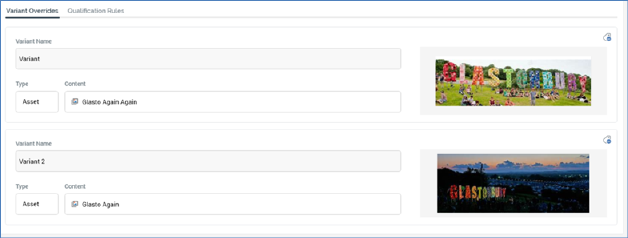
This tab is used to specify alternative variant content to be served in the event of a message being deemed appropriate for rendering to a recipient or visitor.
Each variant defined in Variants tab is listed. If no variants have been configured, the following message is shown:

The following is displayed at each variant override. Note that properties not documented below are covered in the Configure Content and Applicability Section (see elsewhere in the Smart Asset documentation).
•Manage Metadata for this Variant Override: clicking this button displays the '[Message Name] - Variant Override Metadata Editor' dialog, allowing you specify file metadata values and a description at a specific variant override. More information on file metadata can be found in the Framework documentation.
•Variant Name: read-only.
•Type
•Content: enables you to override the variant's default content with specific content to be supplied when this message is served.
•Preview