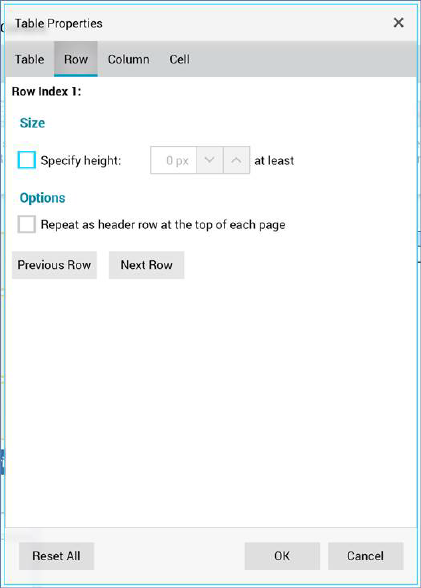
The Table Properties dialog box’s Row tab exposes the following:
•Row index: a read-only representation of the row in respect of which properties are currently being managed.
•Size section:
o Specify height: selecting this checkbox allows you to provide a specific minimum height for the row.
•Options section:
o Repeat as header row at the top of each page: checkbox.
Two buttons below the tab’s properties allow you to choose which row’s properties to set:
•Previous Row
•Next Row