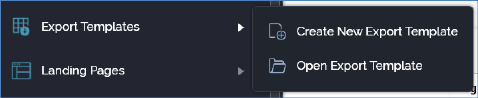
You can invoke the Export Template Designer in the following ways:
•From the quick access menu’s Export Templates menu. The menu exposes the following options:
•From a Tasks or File Type widget. Typically, these might be displayed at your Home Page. For more information on widgets, please see the Dashboard Designer documentation.
•By double-clicking an export template file in the File System Dialog, or by highlighting an export template and clicking OK in the same context.
•By viewing the latest version of an export template contextually – for example, from an export activity’s configuration panel in the Interaction Designer.
Note that access to the Export Template Designer is controlled via the Export Template – Design functional permission. If none of the user groups of which you are a member are associated with this permission, you will not be able to able to access the Export Template Designer.