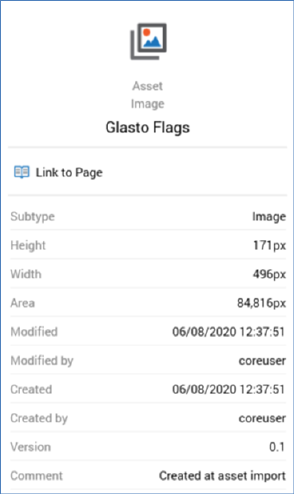
The information panel is displayed to the right-hand side of the File System Dialog.
It displays a read-only summary of the selected file or folder.
Information is loaded immediately after highlighting, and a message is displayed whilst data is being loaded.
The following information is displayed for a folder:
•Icon
•Type
•Name
The following information is displayed for all file types:
•Icon: a separate icon is displayed for each type of file.
•Type: e.g. attribute, selection rule, audience or interaction.
•Sub-type: if an analysis panel or asset
•Name
•Description
•Wiki page (covered separately)
•Created: the date and time of the file's creation.
•Created by: the username of the user who created the file.
•Modified: the date and time at which the file was last modified.
•Modified by: the username of the user who last modified the file.
•Version: the asset's current version number.
•Lock icon: displayed if the file is read-only.
In addition, the following information is displayed if the file is an attribute:
•Target Database
•Target Table