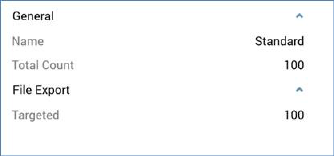
When export results are displayed in the Results Window, the following are shown.
•Title: the Results Window’s title is set to 'Export Results for Workflow ID [x]'. On hovering over the title, the current Workflow Instance ID and Offer Execution ID are shown in a tooltip.
•Results tab:
o Toolbar contains:
§ Copy these details to the clipboard
§ Refresh
o Export results are shown below the toolbar.
•Files tab: this provides access to any files generated by the export.
o Toolbar contains:
§ Refresh
•Log tab
o Toolbar contains:
§ Copy these details to the clipboard
§ Refresh
•Trace tab: toolbar as Log tab.