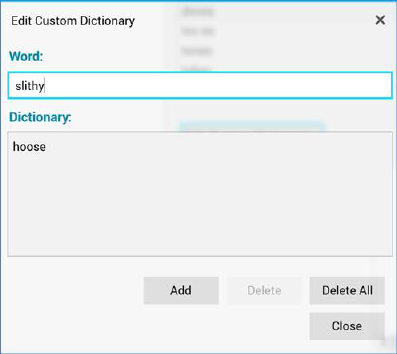
This modal dialog enables you to manage the current custom dictionary used by the spell checker. Dictionaries are maintained on a client machine basis.
•Word: provision of a word enables the Add button.
•Dictionary: this section lists all of the words in the custom dictionary. The first word is selected automatically.
•Add: this button is enabled when a Word is provided. Clicking it adds the word to the dictionary. If the Word already exists, Add is disabled.
•Delete: this button is enabled when a word is selected in the Dictionary list. Invocation removes the word without display of an Are You Sure? dialog.
•Delete All: this button is enabled when at least one entry is present in the Dictionary list. It is protected by an Are You Sure? dialog. Proceeding clears the dictionary.
•Close: clicking this button removes the Edit Custom Dictionary dialog from display.