
When creating a constant comparison criterion in respect of a date/time attribute, an extra operator value (is within) is made available. The following fields are shown if it is selected:
•[value]: mandatory and integer only.
•[unit of time]: a drop-down list containing the values:
o Seconds (the default)
o minutes
o hours
o days
o days (ignore time)
o months
o years
•[preposition]: a drop-down list containing the values:
o of
o before
o after
In addition, an extra button (Toggle using the start date/time of the workflow) is displayed:
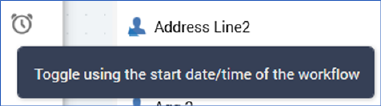
If this button is selected…

…[date/time] is removed from display and replaced with the label that reads ‘the date/time the workflow starts’.
You can use this feature to target records with a value for a date/time attribute that is compared to a constant defined by the point at which an interaction workflow within which the standard selection rule is executed begins. For example, you might wish to only retrieve records where a purchase has been made within a month of a workflow commencing execution. When executed in the Rule Designer, the date/time value defaults to the current date and time.