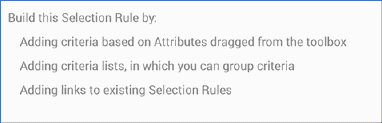
The standard selection rule’s canvas initially displays a message:
Criteria, criteria lists and linked selection rules are described elsewhere in this documentation.
The following options are available when you right click a standard selection rule’s canvas:
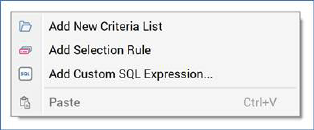
•Add New Criteria List: adds a new, empty criteria list to the standard selection rule.
•Add Selection Rule: allows you to choose an existing standard or basic selection rule from the RPI file system in order to link it to the current rule or create a criteria list in the current rule based upon it, using the Linked or Embed an existing Selection Rule dialog. This is described elsewhere in the standard selection rule documentation.
•Add Custom SQL Expression: this option allows you to add a custom, inline SQL expression to the standard selection rule, using the Add Custom SQL Expression dialog. This is described elsewhere in the standard selection rule documentation.
•Paste: only available if the clipboard contains something that may legitimately be pasted into the rule (e.g. a criterion or criteria list).