An audience template is a special type of audience file that cannot be executed in a production interaction (however, it can be tested from the Audience Designer). Audience templates allow you to create a base audience, save it as a template file, and then create audiences based on the template.
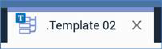
When an audience template file is shown in the Audience Designer, the icon shown at the tab identifies it as a template.
The following differences are manifest at an audience template when it is displayed in the Audience Designer:
•The Save Audience button is replaced by a Save Audience Template button, allowing you to save any changes you make to the current audience template file.
•The Save Audience As button is replaced by a Save Audience Template As button, allowing you to save the audience template to a different filename.
•The Save Audience as Template button is not shown.
•The Snapshot button is not shown.
•The Tests button is shown (execution of tests at an audience template is supported).
•A 'Template' watermark is shown at the workspace.

The following limitations are applied in respect of audience templates:
•Audience template files are not shown at designer toolboxes.
•You cannot configure an audience snapshot with an audience template.
•You cannot configure an embedded audience block with an audience template.
•You cannot configure a cell list's Input audience using an audience template.
•You cannot configure an interaction's batch audience or interactive activity with an audience template.
•Use of audience templates is not supported at the Workflow Builder's Choose your Audience interface.
•Use of audience templates is not supported at the Send Emails Training Aid's Choose an existing Audience interface.