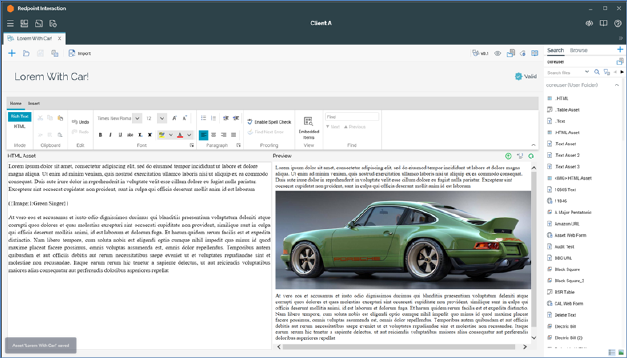
The Asset Designer is displayed in a separate tab in the RPI framework.
It is composed of the following elements:
•Toolbar
•Name
•Validation status indicator
•Toolbox
•Content panel
If you close a tab containing the Asset Designer, within which an asset to which changes have been made is displayed, or you close RPI itself under the same circumstances, a dialog is displayed. You can:
•Save the changes and proceed with closing the tab or RPI.
•Abandon the changes and proceed with closing the tab or RPI.
•Cancel closing the tab or RPI.